
2. Home — Company Totals, Your Year, Cap and Split Tier

SG HUB · LESSON 2
The Home tab
Company totals at the top, then your own year in numbers.
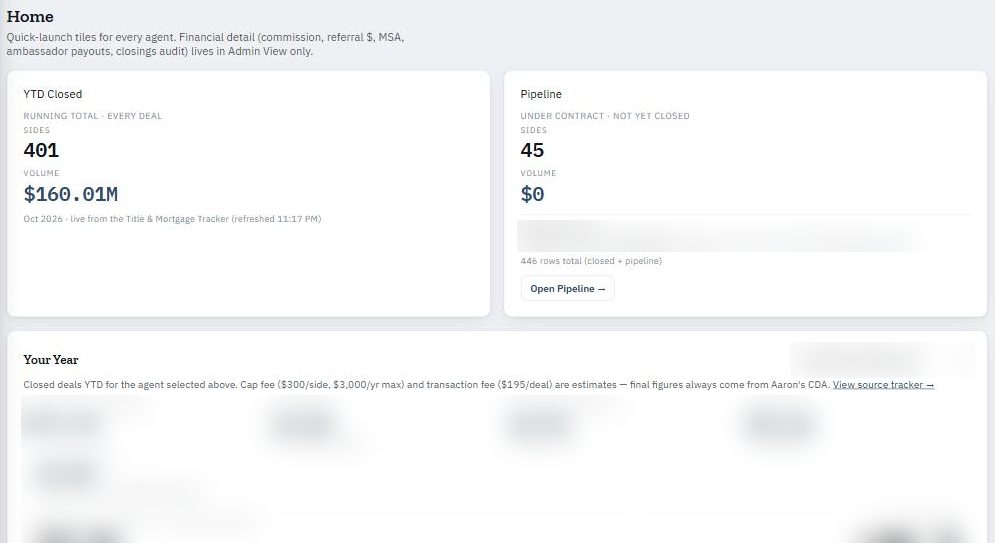
What Home shows
- Company totals — sides and volume closed this year, and what is in the pipeline.
- Your Year — what you have made, your cap fee, your transaction fee, Zillow paid, and your net.
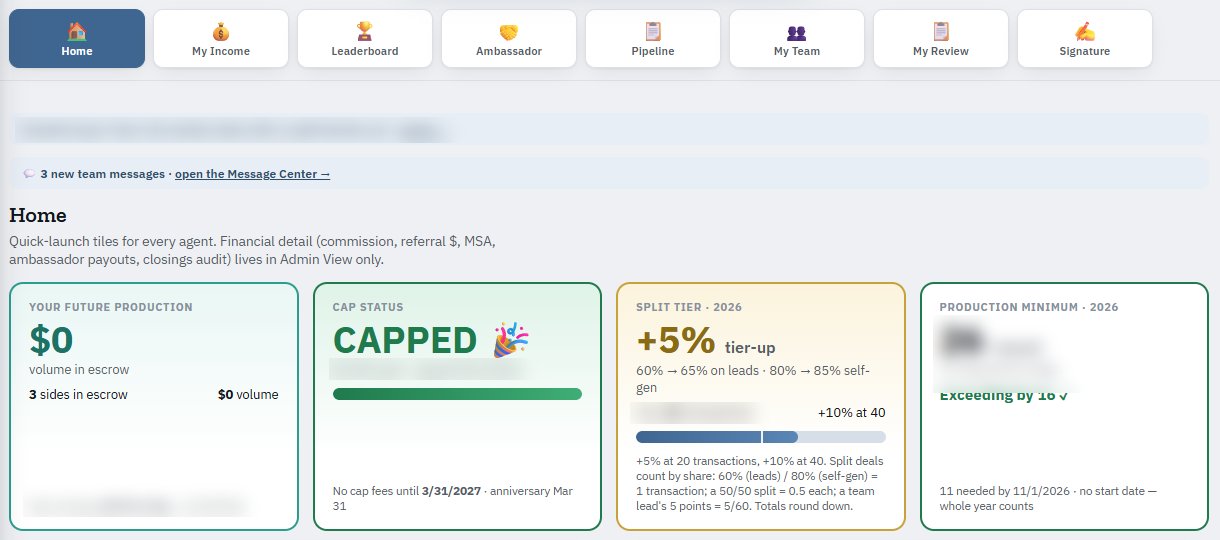
- Cap status tile — where you are against your cap (for example CAPPED, with the date you capped).
- Split tier tile — your current split tier and how many transactions you have toward the next one (+5% at 20 transactions, +10% at 40).
The fees in Your Year
| Line | Meaning |
|---|---|
| Brokerage CAP Fee | $300 per side until you reach your cap. |
| Broker Transaction Fee | $195 per deal. |
| Zillow paid | Zillow referral fees on your closed sides. |
| Net | What you kept. |
Estimates vs. final
Home shows estimates. Your final figures come from your CDA.