
Marketing & Advertising
📖 10 min read
Section 7 of Phase 2. Marketing is leverage — it builds your pipeline when you are not actively dialing. Without it, you are 100% dependent on Zillow Preferred leads, which is a thin strategy. Read this whole lesson with the screenshots. The full source document is also available for download below.
📄 Source: Ylopo Adaptive Search — Marketing Training
Full original training doc with all screenshots embedded.
Objectives
- Learn how to use social media to grow and market your business with the free tools provided by Scofield.
- Learn the basics of paid advertising.
- Build a posting cadence: what, when, and how often.
1. Promote your BRAND — do this once a day
Use Facebook and your branded search website together — free reach plus paid retargeting.
What is retargeting? Think of it as being tagged. When someone clicks one of your branded-site links, they get re-shown ads from you. Once they fill in their info, the lead flows back to you in Follow Up Boss automatically.
What to post: use your branded search site to create searches, Just Listed, Just Sold, and Open House posts that drive traffic to your page. Post on your page, in Facebook Groups, and on Facebook Marketplace.
Quick Facebook Post — step-by-step (with screenshots)
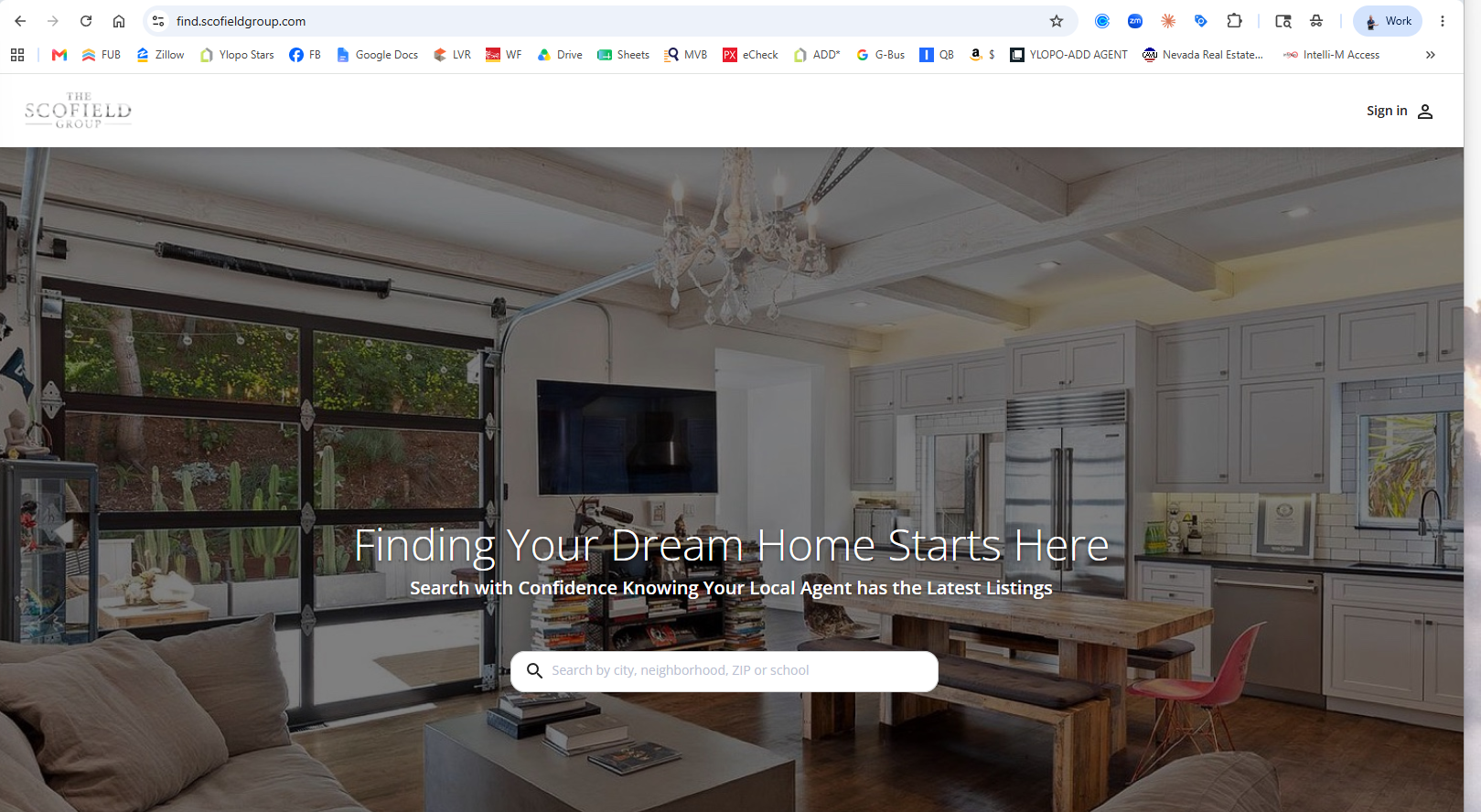
Step 1 — Go to your branded search site
The company default is find.scofieldgroup.com — yours is usually assigned at {yourname}.scofieldgroup.com (same prefix as your email).
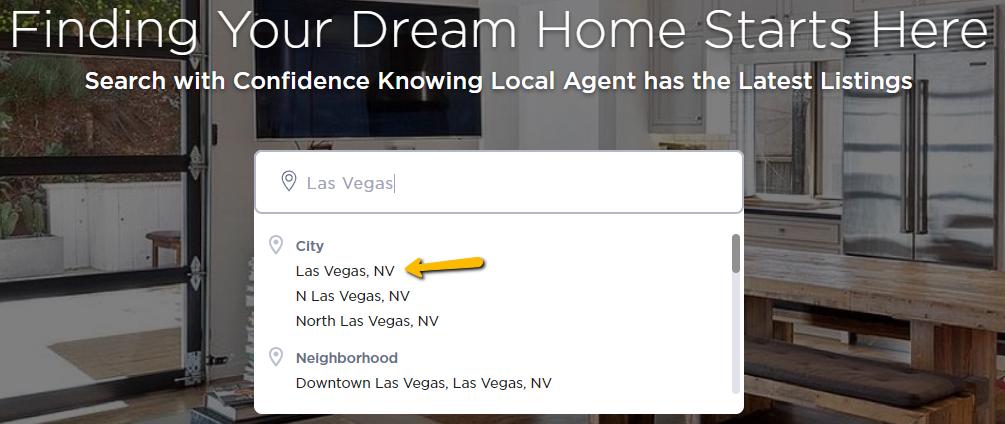
Step 2 — Type Las Vegas, choose Las Vegas
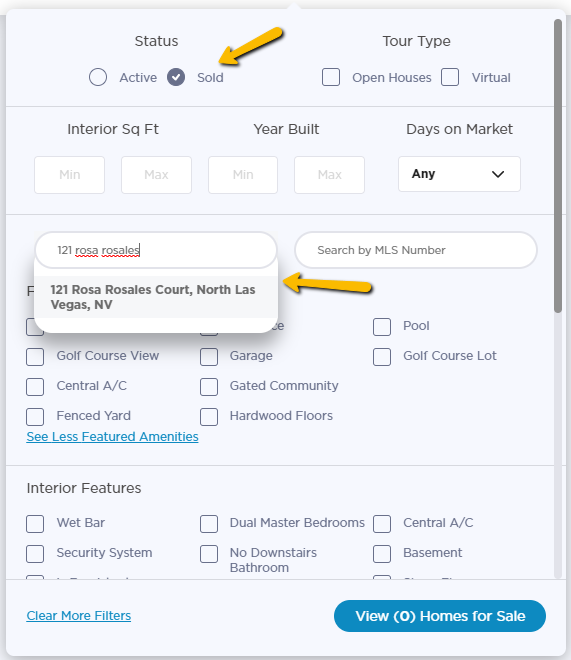
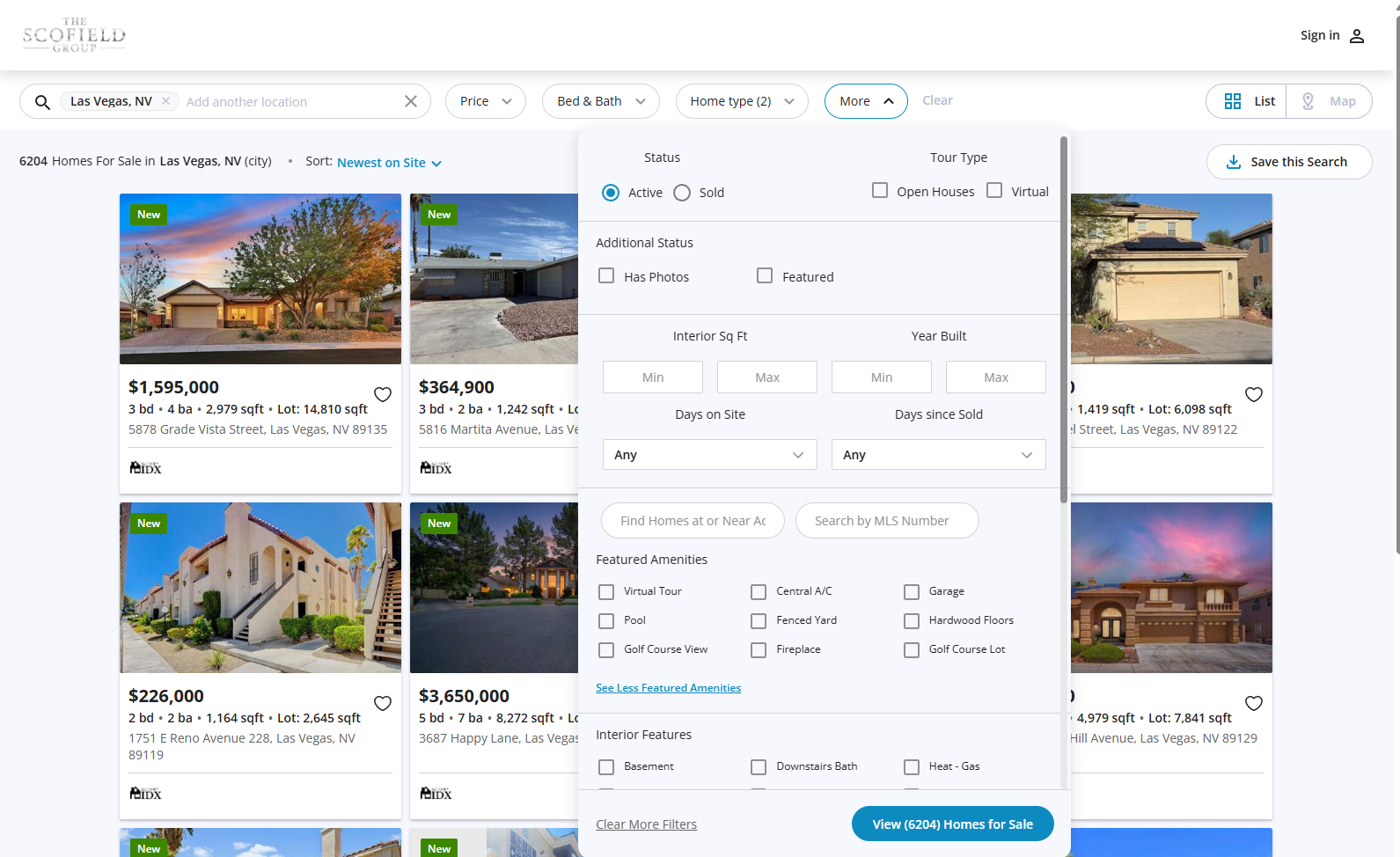
Step 3 — Click More Filters
For an Active Listing, pull a Scofield Group active listing from the MLS. Never use a listing from another brokerage.
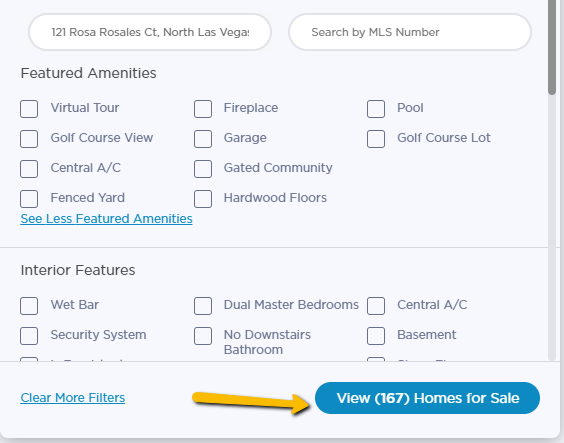
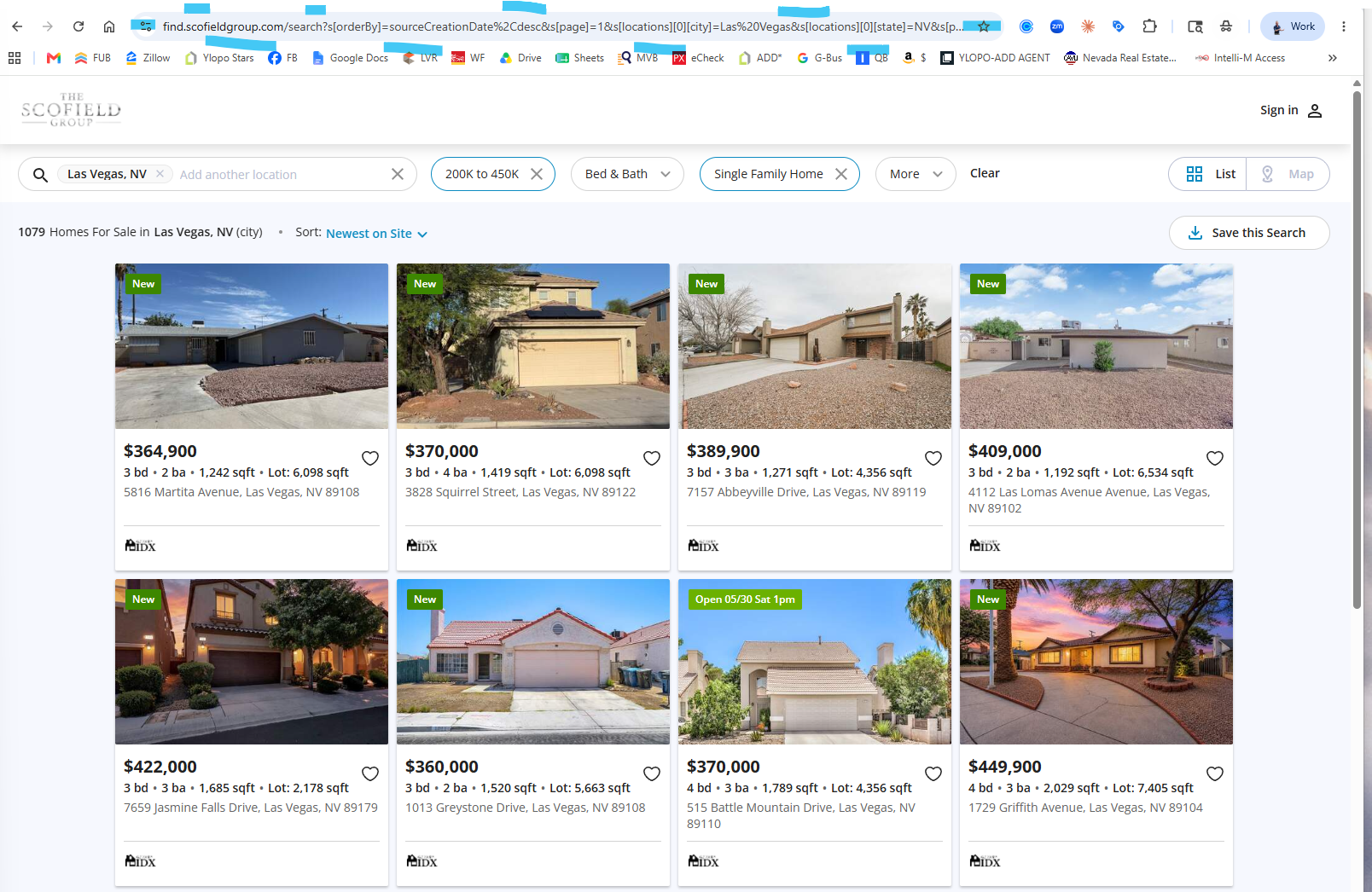
Step 4 — Click View (xxx) Homes for Sale, then copy the URL
Copy the full URL from your browser's address bar.
Step 5 — Paste into a Facebook post
- Paste the URL into a Facebook post and remove all characters after the first set of numbers so the link is clean.
- Use emojis and backlinks in the comments. Long copy is fine — but break it up with spacing and punctuation so it reads cleanly.
⚠️ Brand + Compliance — every post
- Up to 30 hashtags per post. Mix volumes — millions, hundreds-of-thousands, thousands, hundreds — plus unique-to-you tags.
- Use the branded Scofield hashtags on every post:
#ScofieldGroupand tag@scofieldgroupso we can share it. - ALWAYS include your license number (if it is not already on your profile's first page).
- ALWAYS include the brokerage name "Scofield Group."
Posting a Sold Listing
Step 1 — Type the sold address
On the branded search site, type the address of the sold property.
Step 2 — Click View Homes for Sale
Multiple properties may pull up — click View () Homes for Sale.
Step 3 — If the Sold property doesn't appear
Click More Filters again (the address should still be populated), click SOLD, then click View () Homes for Sale. Same posting workflow as above — copy URL, paste, clean it, post with branded hashtags + license number.
Paid Advertising — Boosting vs. Running Ads
Pro Tip #1: You can only run paid ads if you have a business page or have switched to a Professional Profile. Personal pages cannot run paid ads. Many of us use Profile Creator to post and run ads off the business page with a link to the Ylopo site — Profile Creator can also boost, with the same results, but you have to re-run once it ends.
Pro Tip #2: Your paid ads will run on Facebook, Instagram, and the Audience Network (newsfeed, stories, messenger, marketplace).
Social Media Posting & Content Planning
This changes all the time — but the best rule still applies: my junk video beats your absent any day.
Frequency
- Stories — daily
- News Feed — 5–20 times per week
- Video — Instagram, TikTok
What to Post
- Stories: be face-forward, engaging content (use stickers), tag people and location.
- Newsfeed: quality over quantity, education, long-form copy works best; tag people, location, and hashtags.
- Video: focus on reels if you can — knowledge and education content is essential for IG/TikTok-style reels. IGTV and Facebook Live also work.
- Repurpose content: blogs and newsfeed articles can become video scripts and posts (think of IG/FB as your mini-blog). Video scripts can become blogs and posts.
- Use content to create content. If you record a YouTube/IGTV/Live, use that recording to create posts and stories advertising the video.
How to Create an Adaptive Search for Ads
- Go to your branded search site —
{yourname}.scofieldgroup.com. - Create a search filtered to the content you want. Example: homes with large lots over ¼ acre, under $600k.
- Take the full URL from the address bar and use it as the destination for your ads.
- If the URL is long, use tinyurl.com to shrink it and customize the name.
📧 Broker review on every paid ad
Every paid ad, testimonial post, and performance claim requires Broker pre-approval before going live. Send to [email protected] first. Every visual must use only Scofield Group approved logos, colors, and branding.
🎬 Adaptive Ads — Full Walkthrough
Single end-to-end walkthrough of setting up Adaptive Ads for paid Facebook/Instagram retargeting. Watch the whole thing once before you run your first ad.
SG Pro Shop
👕
SG Pro Shop
Order signs, business cards, and branded apparel.
🎯 Goal
Post daily, brand every post, and send paid ads through broker review before they go live. One post a day promoting your brand from the branded search site, plus a consistent stories + newsfeed + video cadence, builds the pipeline that protects you when Zillow leads slow down.